

How to create a CV on your mobile phone in Mozambique
Create your CV on your mobile phone in 8 steps: free apps, uncut PDF, file naming, and sending via WhatsApp or email. A practical guide for Mozambique.

Creating a CV on your mobile phone in Mozambique works: you write the text in a document app, format it with a simple font, export it as a PDF, and send it via WhatsApp or email. It can be just as good as a CV made on a computer — as long as you follow the right step-by-step process.
This article is part of the Inademy Guide, where you'll find practical answers for every stage of your job search in Mozambique.
📥 Prefer starting with a ready-made template? Download the first-job CV (.docx) or the experienced CV (.docx) — opens in Word or Google Docs.
The short answer
A mobile CV follows the same rules as a computer CV: one page, single column, simple font, standard sections, and PDF format. What changes is the attention to technical details — mismatched fonts, cut-off text, or overly large file size.
- Write in a document app (Google Docs, mobile Word, or equivalent) — never in a message box.
- Single column, 11 to 12 point font, same font throughout the entire document.
- Export as PDF and open the file before sending: if the text is cut off, you'll see it right away.
- Professional file name: "FirstnameLastname_CV.pdf", never "cv final 2 (3)".
- Maximum of two pages — one page is ideal for most applications.
Why a mobile phone is enough in Mozambique
Mozambique is a mobile-first country. DataReportal Digital data from 2026 tells the story: about 19.1 million mobile connections (53% of the population — with many people having more than one SIM card) and 7.1 million internet users (19.8% of the population).
The mobile phone is the most common device in the country; the internet is still a resource for about one in five people. And what happens on the employer's side? Many applications in Mozambique are also received and reviewed on a mobile phone.
Creating a CV on your mobile phone isn't a shortcut: it is the standard path for many Mozambican job seekers. And with the right method, the result meets the exact same criteria as a CV created on a computer.
How to make a CV on your mobile phone: step-by-step
The process has eight steps. None of them are complicated; together, they separate a CV that opens properly from one that gets cut off on the first screen.
- Choose the right app. A document editor with PDF export capability: Google Docs, mobile Word, WPS Office, or equivalent. The app must allow you to type real text with spacing and paragraphs.
- Open a new document and type the content. Name and contact details at the top, followed by the profile summary, experience, education, and skills. Write everything first; formatting comes later.
- Stick to a single font. Arial, Calibri, or Times New Roman, 11 to 12 points, for the entire document. On a phone, it's easy to accidentally mix fonts — and it's the most common mistake.
- Use a single column from start to finish. Avoid sidebars or double columns: on a small screen, they become messy and confuse scanning systems.
- Define sections with standard titles. "Work Experience", "Education", "Skills", "Languages" — names that everyone recognizes, both on your CV and in company screening systems.
- Proofread the text twice. Read it out loud and check names, dates, and numbers: a language error on a CV leads to immediate disqualification in many Mozambican screening processes (a job portal, on 28-10-2025, highlights them as one of the main reasons).
- Export as a PDF. Use the app's export function: "Save as PDF" or "Export/Download". Never use a screenshot — that's an image, not a document.
- Give the file a professional name. "FirstnameLastname_CV.pdf". If the position is in a specific field, add it: "FirstnameLastname_CV_driver.pdf". The recruiter will appreciate it — and a Mozambican job portal (15-09-2025) recommends submitting CVs in PDF format.
Before sending, open the PDF on your phone and scroll through it from start to finish. If a font changed, if text is cut off, or if the last line disappeared — now is the time to fix it, not after sending.

Free apps to make a CV on your mobile phone
You don't need to pay anything to make a successful CV. Free document apps do the whole job.
- Google Docs — free, saves online, and exports to PDF. Works well on both Android and iPhone.
- Mobile Word (Microsoft) — free version for small screens with native PDF export.
- WPS Office — lightweight alternative, widely used on basic smartphones, featuring good templates.
- CV builder apps with templates — help with the visual design, but the content is always yours: the text, numbers, and profile facts. No app will write it for you.
Ready-made templates solve design, not content. A good CV comes from what you write — your experience translated into facts, results backed by numbers, and skills tailored to the job requirements. The app handles the wrapper; the content is yours.
What must be included in a mobile-made CV
A mobile CV follows the same structure as always, and every section plays a role:
- Full name and contact details — phone number and professional email address, entered carefully. A mistyped digit can eliminate you before the interview.
- City and province — helps recruiters understand if you can commute to the workplace.
- Profile summary — two or three lines explaining who you are, how many years of experience you have, and what role you're looking for.
- Experience — company, job title, dates, and three or four bullet points of your achievements and results.
- Education — degree/qualification, institution, and completion year, listed from most recent to oldest.
- Skills and languages — IT skills, tools, driver's license, languages spoken.
And what to leave out: ID number (BI), tax number (NUIT), place of birth, marital status, and parents' names. A Mozambican job portal (15-09-2025) points out unnecessary personal information as a common mistake.
Furthermore, a Mozambican CV writing guide (2026) is clear: ID numbers (BI) and NUIT belong in the contract phase. The law agrees: Article 8 of Law 13/2023 protects your personal data during hiring.
Mistakes that phones make easier to commit
Creating a CV on a mobile phone comes with its own pitfalls. Here are the most frequent ones:
- Sending a screenshot instead of a PDF. Screenshots get cropped, pixelated, and arrive as images — and text within images cannot be read or searched by systems.
- Mismatched fonts. Having a different font for each section is a clear sign of rushed copy-pasting. Use a single font throughout the document.
- File size too large. A PDF loaded with photos and graphics might not even open in the employer's inbox. Keep the document lightweight.
- Text spilling off the page. On a mobile phone, documents can look different between the editor and the rendered PDF. That is why opening the PDF and reviewing everything is non-negotiable.
- A generic CV sent to ten different companies. Sending the exact same document without tailoring a single word is one of the errors highlighted by MozYouth, a Mozambican youth organization, on 17-07-2024. On a mobile phone, the temptation is greater — but the solution remains the same: adapt your keywords to each job posting.
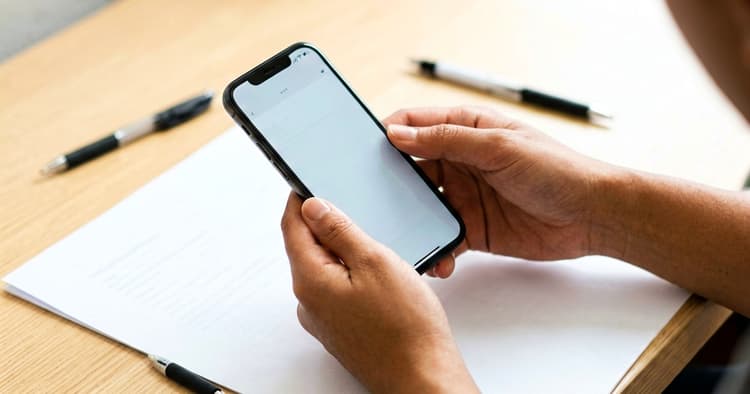
How to send your CV from your mobile phone
How you send your CV matters just as much as the content. Each channel has its own rules:
Via WhatsApp — the most popular channel in Mozambique for receiving job applications. Send the PDF with a clear file name alongside a short message: who you are, the role you are applying for, and a brief sentence highlighting your skills. Never just send the file without context.
Via Email — the subject line says it all: "Application — Cashier — Edson Cossa". The body should contain three or four lines: who you are, the job title, and your availability. Attach the CV, always in PDF format. And double-check your email address: an informal email address from school days is one of the mistakes a Mozambican job portal noted on 15-09-2025.
In both cases, the rule is the same: PDF file, professional file name, short message, and proper context. The cover letter requires the same discipline if requested by the job posting.
How Inademy helps you
Once your CV is ready on your mobile phone, applying for jobs is just as easy. On Inademy, you can create your profile in minutes, link your CV to your profile, and receive new job alerts via WhatsApp and email — without having to browse site after site.

Check current vacancies on Inademy and create your profile. If you are looking for work in the capital, start with jobs in Maputo; the latest opportunities land on your mobile phone first.
Read also
Frequently asked questions
Can I really make a good CV on a mobile phone?
Yes. A CV created on a mobile phone using a document app and exported as a PDF follows the same rules as one made on a computer: one page, single column, simple font, and clean text. The methodology matters more than the device.
Which apps are free for creating a CV?
Google Docs, mobile Word, and WPS Office, among others, are free and export to PDF. Template-based CV builder apps also help with presentation — while the content remains entirely yours.
How do I export my CV to PDF on my phone?
In your document app, look for "Download", "Export", or "Share as PDF" — options vary by app, but all major apps support this. Never use a screenshot: the result is an image, not a document.
How many pages should a CV be?
One to two pages, as recommended by a Mozambican job portal (15-09-2025). One page is ideal for candidates with entry-level experience; two pages only when education and experience are extensive. Beyond that, trim down rather than lengthen.
Does a mobile-made CV pass automated screening?
It does, provided it follows the correct format: single column, selectable text (never an image), standard section headings, and a PDF or Word file format. If you want full details, our practical guide to ATS-friendly CVs explains everything.
Do I need internet access to make a CV?
For apps that save online, yes — but you can type the text in the editor first and turn on data only when exporting. Alternatively, apps with offline support (like mobile Word) allow you to work without a network connection.
A mobile phone is more than enough to create a winning CV: with the right PDF, professional file name, and proofread text, your CV reaches decision-makers intact. If you want to do the full process properly, our complete guide on how to write a CV in Mozambique covers the 8 steps, examples, and legal requirements.
Once you have your CV ready, all that's left is to apply — and Inademy sends new job openings directly to your WhatsApp and email.
Official source: Law No. 13/2023 (Labour Law) is available as a PDF on the website of Mozambique's Supreme Court (Tribunal Supremo): official text (PDF).