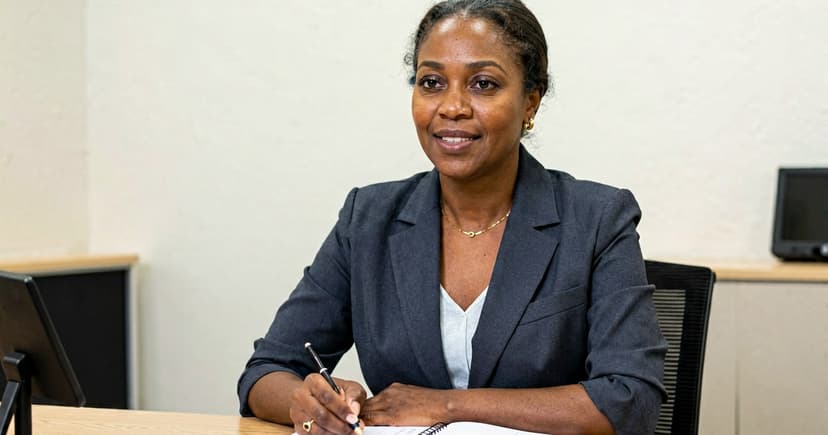

Online job interview: what changes in Mozambique
Online job interview in Mozambique: prepare for an unstable connection, light, background and where to look, and save the call when the network drops.

An online interview in Mozambique follows the same questions as an in-person interview, but the first impression is no longer a handshake at the door and becomes technical: your network connection, sound, and lighting speak before you do. Treating the video call like a casual phone conversation risks losing the job opportunity without saying anything wrong.
Companies and NGOs have moved to interviewing via Zoom, Google Meet, Teams, and WhatsApp video, often with the interviewer also sitting in front of a mobile phone. This article is part of the Inademy Guide, where we explain each phase of securing a job in Mozambique, from your CV to your first day at work.
The short answer
- The connection is your business card. Test your network, sound, and camera the day before and again one hour before. Avoid improvising.
- Camera at eye level and window in front. A stack of books solves the height; light should fall on your face, never behind your back.
- Neutral and tidy background. A clean wall communicates more than any rehearsed sentence.
- Where to look: at the camera. Looking at the screen makes you look distracted; looking into the small camera lens at the top makes you look into the interviewer's eyes.
- Speak slower and make pauses. Audio lag cuts off half-sentences; short pauses protect you.
- Written Plan B. Mobile data loaded, earphones nearby, and the interviewer's contact details at hand in case the call drops.
What changes compared to an in-person interview
In a room, the interviewer reads your posture, handshake, and how you sit. In an online interview, that role falls to technology: a shaky image, echoing audio, or clothes hanging in the background say things about you before you even open your mouth.
The good news is that almost everything can be controlled from home. There is no chapas delay, no unfamiliar neighbourhood, and your CV stays open right beside your screen. Candidates who prepare the technical aspects enter relaxed, and it shows immediately in their voice.
There is one detail that changes everything: in Mozambique, many interviewers also conduct the conversation from a mobile phone using mobile network data. Your preparation must withstand that scenario, not an office with high-speed fibre optic from a promo video.
Technical preparation: the day before and one hour before
The day before, install the application indicated by the company and make a test call with a family member or friend. Confirm that the camera opens, the microphone captures sound clearly, and the speaker works well. Also find out where to mute and unmute the microphone within the app, as you will need it during the call.
One hour before, fully charge your phone and laptop and keep the charger nearby. Close applications that consume bandwidth: active downloads, background videos, cloud syncing. If you are using mobile data, check your balance and package validity; if you are on WiFi, move closer to the router or connect a network cable.
Set up your Plan B on paper: if home internet fails, switch to mobile data; if mobile data fails, request a call back. Earphones, even simple phone ones, improve audio quality and eliminate room echo.
If your CV is still only on paper or blurry photos, the step-by-step guide to making a CV on your mobile phone resolves this in minutes. If the vacancy is international and requires English, prepare the document carefully: Inademy's English CV guide provides ready-to-use examples.

Framing, lighting, and background: your room setup
Position the camera at eye level. Placing your laptop on a stack of books or a box solves this in seconds; keep your phone propped against something firm, never in your hand or lap. With a low camera angle, you appear from below and the image feels heavy.
Sit facing a window. Natural light on your face creates a clear picture at no cost; light behind you leaves you in shadow with only your outline visible. At night, a lamp in front of you works well—never behind you.
The background should be a neutral wall or a tidy space. Hanging clothes, an unmade bed, or family members walking behind steal attention from the evaluator. If your home is crowded, a clean wall corner is more than enough.
Where to look and how fast to speak
Instinct pulls us toward the screen to look at the other person's face. The issue is simple: to the interviewer, your eyes appear focused downward. Look at the camera when you speak, and look at the screen when listening to questions.
Speak slightly slower than in normal conversation and make short pauses at the end of each idea. Audio delay on local networks often cuts off the first syllable of responses, and pausing prevents talking over the interviewer. Short silences stop being uncomfortable when used intentionally.
Joining the call, silence, and what to keep nearby
Join the app waiting room five minutes early. Informing your family and requesting quiet is also preparation: a slamming door can drown out your best answer. In a busy neighbourhood, pick the room furthest from the street.
Keep two copies of your CV next to your keyboard—one printed and one open on screen—along with a list of questions you want to ask, a notebook, pen, and a glass of water. Your cover letter is worth another read: it contains the key arguments that convinced the company to invite you, and citing them builds consistency in your answers.
Before joining, review the most common interview questions and how to answer them. During the call, avoid reading memorised answers: use your notebook for key bullet points, not full sentences.
When the network fails: what to do
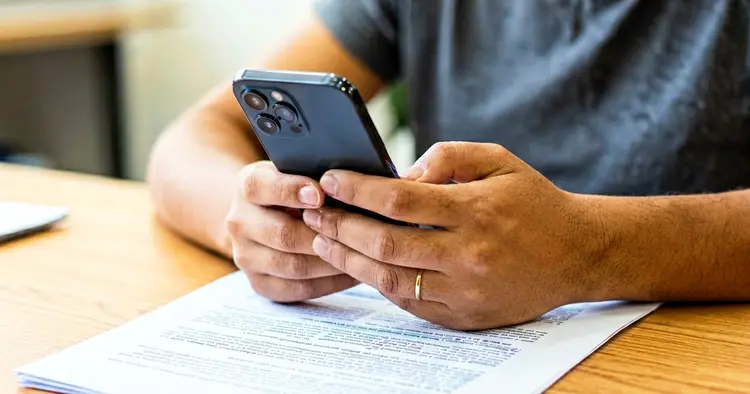
Calls drop every day, and how a candidate reacts makes all the difference. If the image freezes, wait ten seconds without disconnecting. If the call drops completely, attempt to reconnect just once. If the network cannot handle video, send a calm message: "My connection dropped, I apologise. Can we continue via voice call, or could you call me back when convenient?"
Asking to continue by phone is not a weakness, but a sign of maturity: it demonstrates problem-solving skills under pressure—exactly what teams look for. What ruins an application is disconnecting and disappearing. Silence speaks louder than any network drop.
Audio-only interviews (without video)
Many companies conduct initial screening via voice call without video. In a voice-only interview, your sound carries everything: answer in full sentences, smile while speaking as tone comes through clearly, and confirm the interviewer's name at the start so you know who to address during follow-ups.
Since there is no video, background and clothing matter less, but do not answer while lying down. Sit upright at a table with your CV in front of you: sitting posture projects a distinct vocal tone, and interviewers pick up on that confidence automatically.
How Inademy helps you
On Inademy, create your free profile in minutes, apply for job vacancies in Mozambique through a straightforward process, and send your PDF CV directly. When a new job matching your profile opens, receive alerts via email and WhatsApp. This saves you time to prepare your application carefully and your interview calmly.
Read also
- How to Make a CV in Mozambique in 2026 (complete guide)
- The errors that eliminate your CV (and what to put instead)
- Salary expectation: how to answer in the interview
- What to put on your CV: photo, ID, place of birth, and references
- CV for First Job in Mozambique (no experience)
- CV for automated applicant tracking systems (ATS): practical guide
- CV Templates in Mozambique (free, Word and PDF)
- CV for Technical Professions: driver, operator, technician
Where these figures come from
- DataReportal, Digital 2026 (October 2025 data): around 19.1 million mobile connections in Mozambique (53.1% of the population) and around 7.12 million internet users (19.8% penetration). Explains why so many interviews take place on a mobile phone using mobile network data.
- Recruitment practice monitored by the Inademy Guide: interviews conducted via Zoom, Google Meet, Teams, and WhatsApp video, with initial conversations frequently taking place over voice call.
- Video call best practices: testing apps beforehand, placing the camera at eye level, positioning light in front, and using earphones, in line with the complete guide to job interviews in Mozambique published on Inademy.
Frequently asked questions
Can I do the interview sitting on my bed?
Technically you can, but you shouldn't. Lying down or slumping affects your voice, relaxes your posture, and lowers the camera angle. Sit at a table, even a kitchen table: a firm posture translates into a more confident voice and a more professional image.
What if I don't have a computer?
Doing it on a mobile phone works well, provided it is steady and at eye level, propped against books or notebook stacks. In Mozambique, many interviews are conducted entirely by phone. Preparation matters far more than expensive equipment.
What clothes should I wear for an online interview?
Wear the same attire you would for an in-person interview at that company, at least from the waist up. Dressing fully helps you get into the right mindset and avoids surprises if you need to stand up during the call.
Can I do the interview over WhatsApp?
Yes, if the company scheduled it there. Treat the call like any other: test camera and sound, arrange a clean background, and join early. Just avoid answering in text what you were asked to discuss by voice or video.
How long before should I test the connection?
The day before, using the same application and in the same room, and again one hour before. A test done five minutes before starting leaves no time to troubleshoot audio, video, or data balance if something fails.
If the call drops mid-answer, have I lost the job?
No. Recover calmly: wait ten seconds, try calling back once, and if the network does not reconnect, send a message proposing to continue via voice. Interviewers experience network drops daily; how you react is what matters, not the drop itself.
In summary, what to do today
- Install the video application used by the company and make a test call with someone you trust.
- Choose a spot with a neutral wall and a window in front, and prepare a stack of books so the camera sits at eye level.
- Check your data balance or home WiFi connection and write down your mobile data Plan B on paper.
- Print or open your CV and write down three to five questions to ask the interviewer at the end.
- On the day, join five minutes early and manage any network drop using the protocol: wait, retry, message.